
Showing posts with label Digipack. Show all posts
Showing posts with label Digipack. Show all posts
Friday, 31 December 2010
Digipack completed
Here is my completed digipack completed, after longs hours trying to complete it is finally finished. The final outcome it one i can be happy with and one that reflects my idea of the first vision i had.

Thursday, 30 December 2010
Digipack nearly finished part 2
Today i completed my digi-pack,i began by adding in the text on the back, i did this by choosing a font, then duplicating three of the same text, after i then change the colour of the three to make each different, then layer on top of one another to give it a 3d colour effect. I then continued to work on the CD cover, i began by getting the picture of a volcano and cutting it into CD, I then got the Magma text and pasted onto the CD cover. The inside cover i chose to do a design looking as if the text in falling down the volcano, like lava would, therefore i worked hard to create this effect. Creating this effect i got the picture of a volcano, i then faded the picture into the cover to match the colours, i then added the text and rotated the letters to look as if its falling. To complete the digi-pack i finally created the spine by putting the magma text on the spine along with the title and the CD disc logo, thus completing my dig-pack.


Wednesday, 29 December 2010
Digipack nearly finished
I've nearly completed my digipack, with the pictures i am going to show the process i went through to create my digipack such as effects, tools from adobe photoshop. I added in the spines of the digipack making them black to follow the colour scheme i am doing, i also put the back of the digipack icons on such as the parental advisory logos on and also a barcode.


Monday, 27 December 2010
Continued with Digpack
Today i continued with my digipack to try and complete it as i have been focusing on more practical side in recent weeks, therefore i decided to do quite a bit of work to get it completed. The screen shots below show how i created my inside plan of the digipack, with the picture of scale pattern i edited the colour to make it red and black to follow the contrast of colours with the rest of the pack, i then continued this by doing the same to the CD compartment but reversing the colours to make a change.


Friday, 10 December 2010
Creating the Digipack
Today i began to create my digipack, using a rough guide i drew i used this as a structure to follow to ensure the digipack pans out the way i want it to. First of all i chose a volcano to appear on the front of my digipack, this to emphasise DJ Magma through the link between magma and a volcano. To begin with i dragged a six panel digipack outline into photoshop, this being the guidelines for me to help when putting the pack together and also being the correct size. I put the volcano onto the front of the pack, following with that i then adjusted the colour using light and contrast tool to darken the picture to sharpen and give the picture more emphasis on the colour. I then search through numerous amounts of fonts to find one that i wanted to reflect a bit burnt like it would be from contact with lava from a volcano and to continue with the theme of the volcano, once i chose the font i placed it in the center and created a thin second layer to make it slightly 3D with a yellow colour behind.


Next i dragged in the next picture of a volcano erupting, this to follow and continue the same colours on the front cover so it don't look odd. Once putting the picture in i then went to focus back onto the front cover, using a disco ball i placed it faded on top of the volcano giving the illusion of the ball coming out of the volcano, this i created to indicate its a digpack CD for a disco genre. Once that was complete i then dragged in DJ Magma, a boy from our sixth form who we interpreted as him. I cut our magma out of the background, then dragged him into the digipack, i then readjusted the size of magma and place him in front of the disco ball showing he is the main person.
Thursday, 9 December 2010
Starting my Digipack
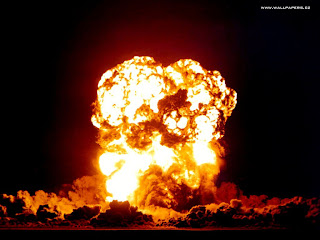
Today i started to think about an idea to create for my digipack, i gathered a lot of pictures from google to follow a theme of volcano and lava; DJ Magma and looked at how i could create a vibrant colourful digipack but using the lava colours of a red and orang type. Here are some of the pictures i downloaded to experiment with.




Subscribe to:
Posts (Atom)